Notifications 🔔
Notification types
Section titled “Notification types”RedKiwi has several notifications. You can toggle each one individually in settings.
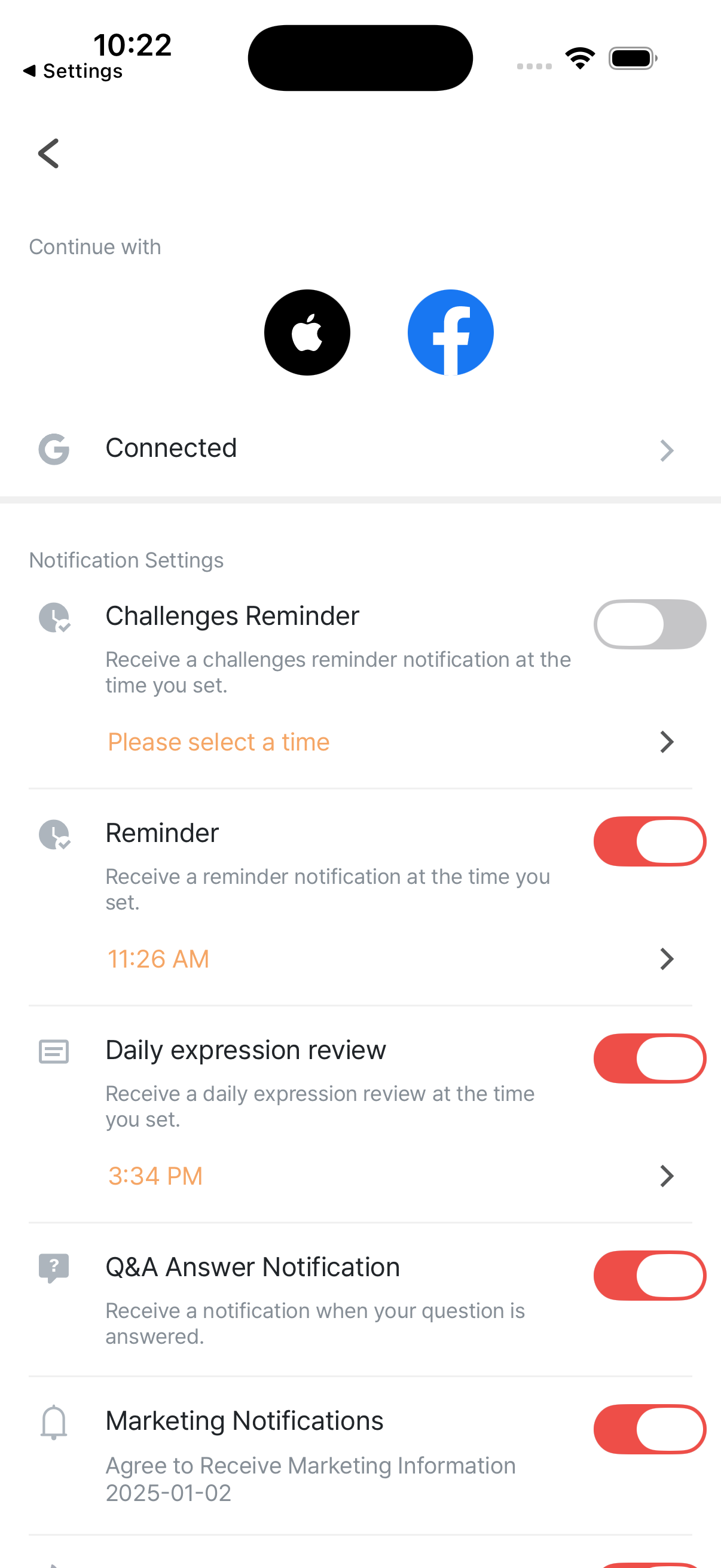
| Notification | What it does |
|---|---|
| Reminder | Reminds you to study at the time you set |
| Challenges Reminder | Reminds you about an in-progress challenge at the time you set |
| Daily expression review | Sends an expression to review at your set time |
| New free video (free users) | Notifies when a new daily free video is available |
| Marketing Notifications | Promotions, new features, discounts, etc. |
| Streak protection | Notifies you in advance so your streak doesn’t break |
How to change settings
Section titled “How to change settings”Settings → Notifications
Section titled “Settings → Notifications”Toggle each type ON / OFF.
System permission (the bigger lever)
Section titled “System permission (the bigger lever)”iOS: Settings app → RedKiwi → Notifications Android: Settings → Apps → RedKiwi → Notifications
You can turn off all notifications at once here.
Recommended setup
Section titled “Recommended setup”For consistent learning
Section titled “For consistent learning”- Reminder: ON
- Streak protection: ON
- Daily expression review: ON
For distraction-free focus
Section titled “For distraction-free focus”- Marketing Notifications: OFF
New free video (free users)
Section titled “New free video (free users)”Recommended ON — getting alerted to new free videos helps keep your streak alive.
The study time you set during onboarding
Section titled “The study time you set during onboarding”The Reminder fires at the time you picked at first sign-up. Want to change it? Edit it in settings.
Not getting notifications?
Section titled “Not getting notifications?”Checklist
Section titled “Checklist”- In-app setting: is the relevant toggle ON?
- iOS / Android system permission: is RedKiwi allowed to send notifications?
- Battery saver / background restrictions (Android): not blocking it?
- Do Not Disturb: not on?
- Internet connection
If everything checks out and they still don’t arrive, contact support.
- Sync notification times to a fixed routine — morning commute, just after lunch, after dinner
- Don’t turn on too many at once — overload often leads to “screw it, all OFF”
- Marketing is personal preference — curious about promos? ON. Annoyed? OFF.