Home tab tour 🏠
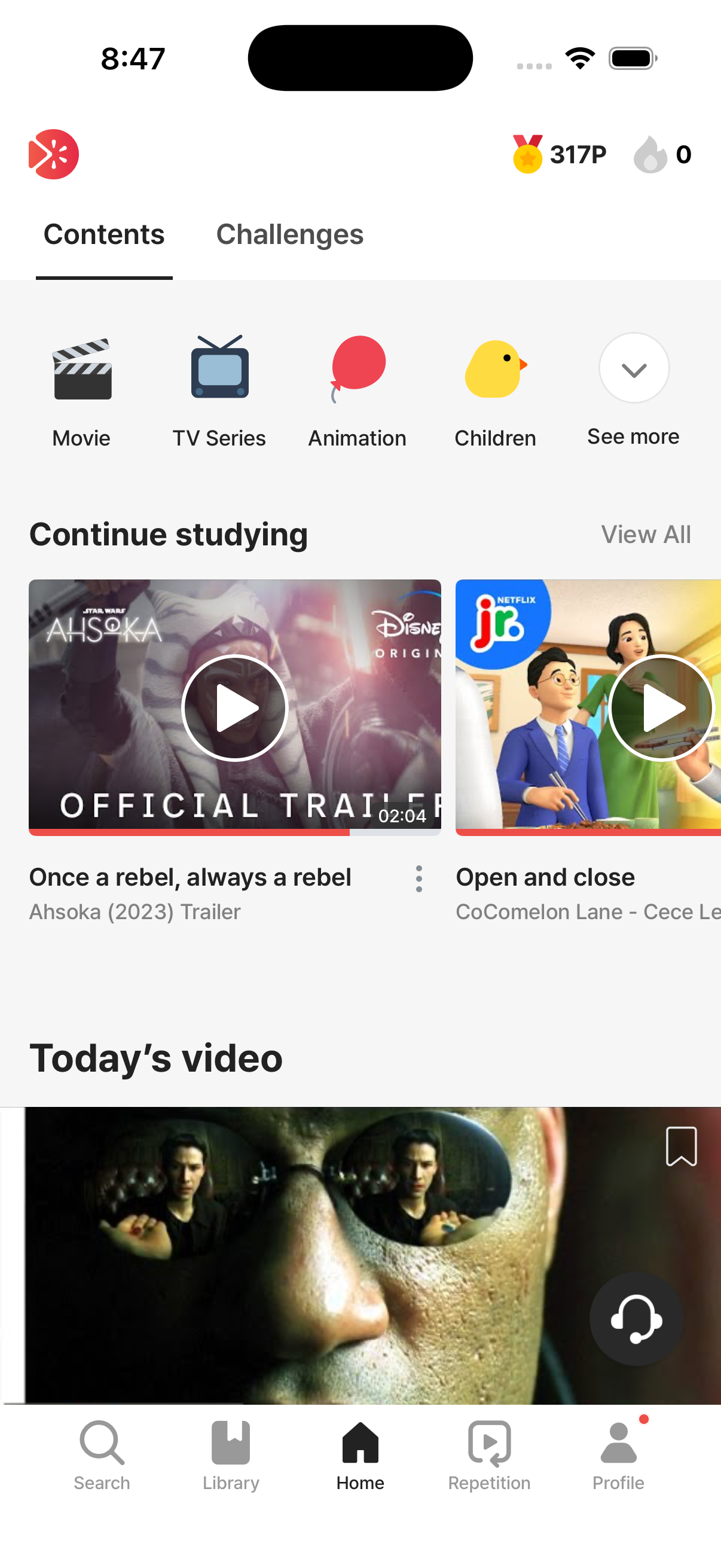
The Home tab is RedKiwi’s content discovery hub. The header has a tiny streak icon in the top right for a quick progress check (the detailed learning record is in the Profile tab).
The Home tab has two inner sub-tabs:
- Content — pick videos to study (this page covers this one)
- Challenges — themed / level-based mission learning. Curated video sets put together by native speakers; complete them to earn medals and badges.
You can change which sub-tab opens by default in Profile → Settings → Learning Settings.
The sections below appear, in order, in the Content sub-tab. (Some may not show depending on your situation.)
🔁 In-progress videos
Section titled “🔁 In-progress videos”If there’s a video you exited partway through, you can pick it back up here. It auto-resumes right after the last sentence you completed. Tap “View in-progress videos” for the full list.
🎯 My list
Section titled “🎯 My list”Saved videos appear here. Home only shows a preview; the full list is in the Library tab.
How to save → Saving
🆓 Daily free video (free users)
Section titled “🆓 Daily free video (free users)”Visible only to free users. “Free users can study one free video per day.”
More details → Daily free video
🔥 Trending now
Section titled “🔥 Trending now”Videos lots of other users are watching right now. Good for tracking trends.
✨ Today’s lesson
Section titled “✨ Today’s lesson”Newly uploaded content shows up here every day. Don’t want to miss the latest? Check this.
💬 Today’s idiom
Section titled “💬 Today’s idiom”A daily-rotating idiom lesson.
⭐ Today’s recommendations for you
Section titled “⭐ Today’s recommendations for you”A personalized recommendation section, picked by AI based on your onboarding preferences and learning patterns.
🗂️ Category sections
Section titled “🗂️ Category sections”- Animation
- Movie
- Song
- News
- Documentary
- TV Series
- Interview
- Comedy
- Idiom
Tap “View more” in any category section to see the full list for that category.
🎬 Collections
Section titled “🎬 Collections”Curations built around a series or brand. Right now there are 3 collections on the home screen: Disney / Harry Potter / BTS.
If you’re a fan of any of these, you can keep yourself going just on this section alone.
📋 Not Studied (the main feed)
Section titled “📋 Not Studied (the main feed)”At the very bottom, you’ll find the full list of videos you haven’t studied yet. Infinite-scroll your way through to discover.
Browsing tips
Section titled “Browsing tips”- Start with the recommended sections — they have personalization in the loop
- When you find a content type you love, dive into that category and binge
- Try new genres now and then — Documentary / News may sound dry, but the pronunciation is clear and the vocabulary rich
- On low-energy days, do a Short idiom to keep the streak alive