AI Coach 🤖
What’s AI Coach?
Section titled “What’s AI Coach?”A Premium feature for asking AI questions while you study. For example: “Why does this expression mean what it means?”, “How would I use this in a different situation?”
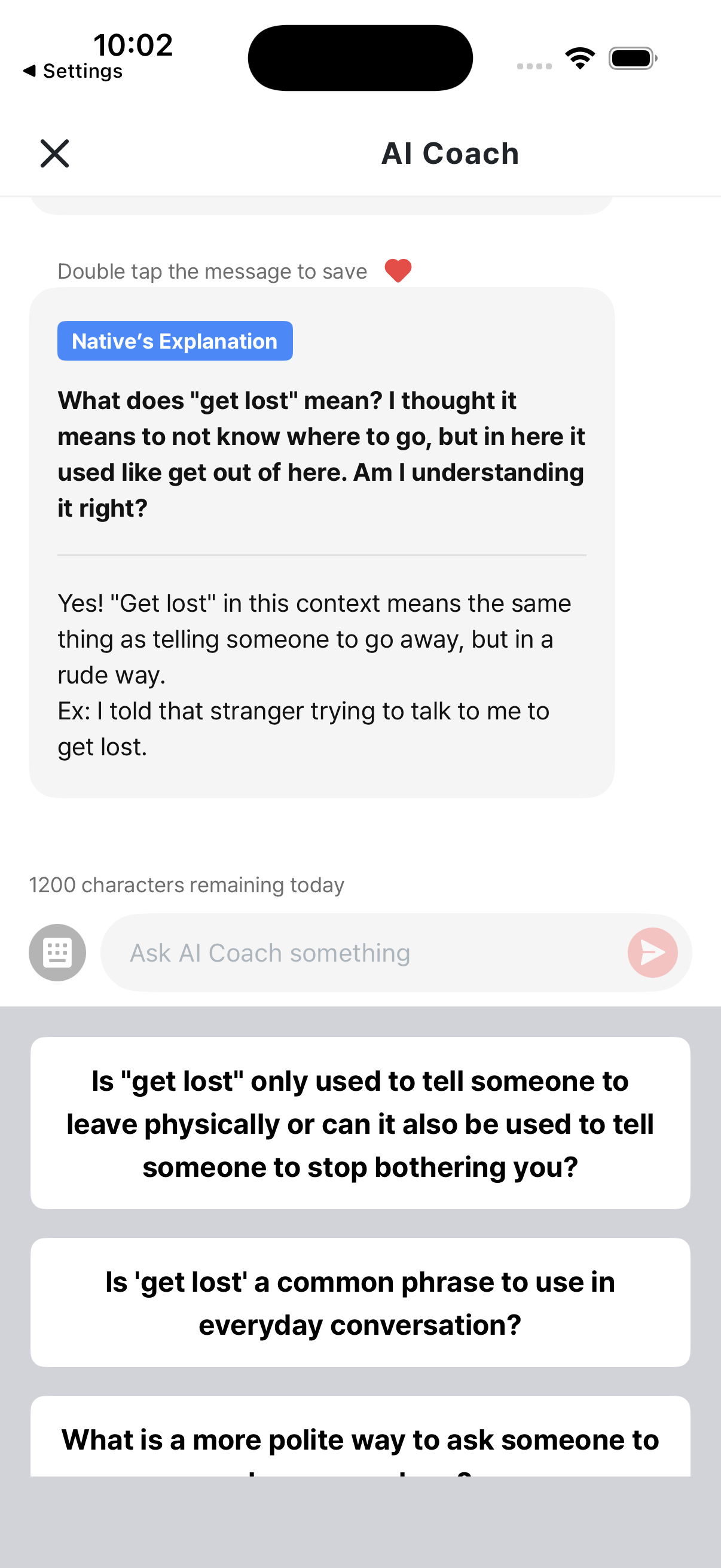
- It’s introduced as “Help from a native speaker”
- Covers grammar, nuance, and even cultural background
How to use it
Section titled “How to use it”Asking a question
Section titled “Asking a question”- While studying, tap the AI Coach button when you have a question
- Type your question or pick one of the suggestions
- The AI sends back an answer
Saving an answer
Section titled “Saving an answer”Found a useful answer? Use the like / save button to keep it.
Reviewing in your Library
Section titled “Reviewing in your Library”- Library tab → AI Coach section — only the messages you’ve liked / saved show up here. → Saving
- Library tab → “My Questions” sub-tab — your full history of AI Coach conversations stays here (visible to Premium users / those who have asked questions before).
What kinds of questions work well?
Section titled “What kinds of questions work well?”✅ Good question examples
Section titled “✅ Good question examples”- “Why does ‘get to’ mean ‘have the chance to’ here, instead of ‘arrive at’?”
- “Would this expression sound natural at work?”
- “Are there other expressions with a similar meaning?”
- “Can you explain the intonation of this sentence?”
❌ Less useful questions
Section titled “❌ Less useful questions”- “What does this mean?” (the dictionary is faster)
- “How can I get good at English?” (too broad)
Membership and AI Coach
Section titled “Membership and AI Coach”- Free users: usage is limited.
- Premium subscribers: free use within a daily 1,200-character limit, refilled at midnight.
Full membership benefits → Membership
Caveats
Section titled “Caveats”- AI answers are for reference. For high-stakes exams or formal documents, double-check with a native speaker.
- Conversation context is kept per session. If you fully close the app, the context can reset.