A tour of the app
The RedKiwi app is built around 5 bottom tabs.
🏠 Home
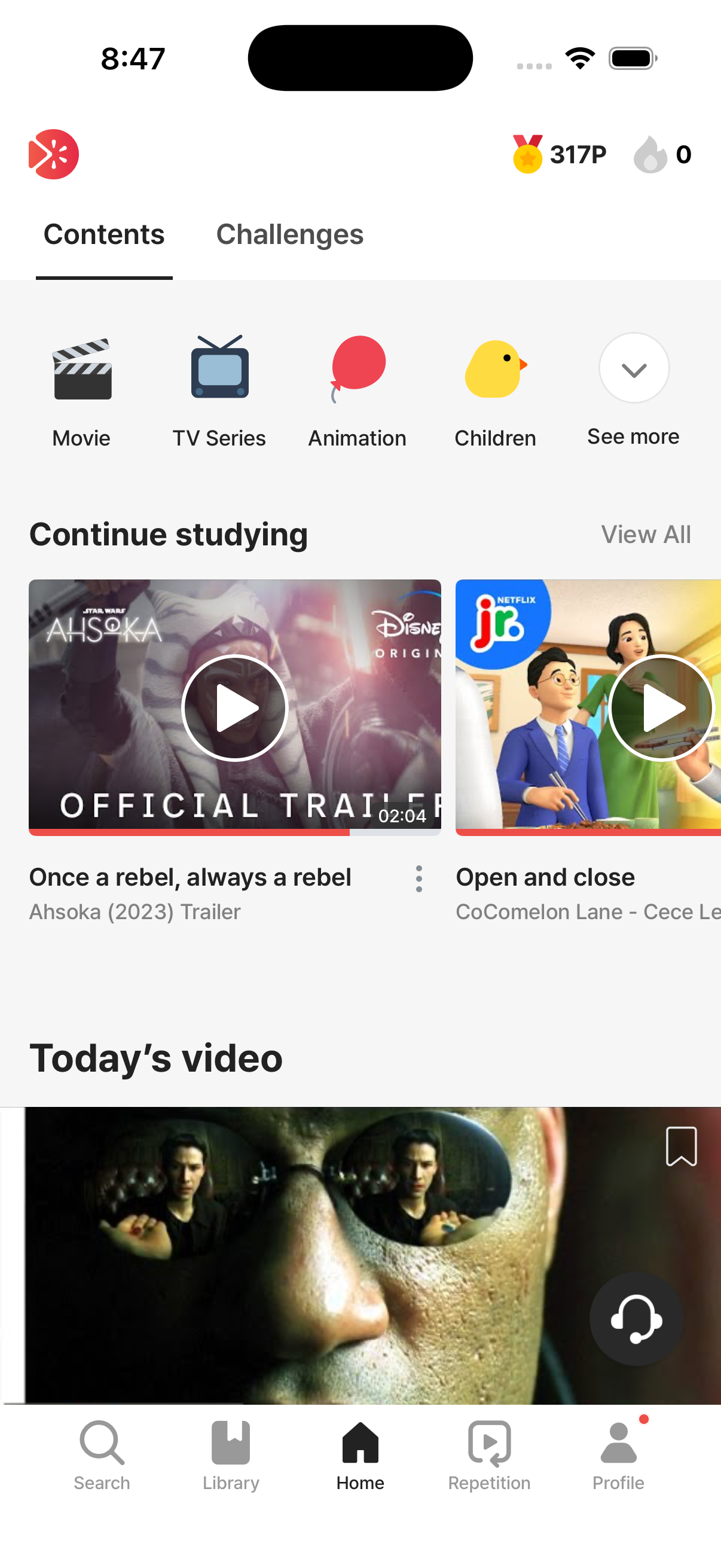
Section titled “🏠 Home”The first screen you see, and the content discovery hub. The header has a small streak icon on the right, so you can quickly check today’s progress or jump to the calendar.
Some of the sections you’ll find here:
- In-progress videos — pick up where you left off
- My list — preview of videos you’ve saved
- Daily free video — the daily free pick for free users
- Trending now / Today’s lesson / Today’s idiom
- Today’s recommendations for you — personalized picks
- Category sections (Animation, Movie, Song, etc.)
- Curated collections like Disney, Harry Potter, BTS
The Home tab itself has two inner sub-tabs: Content and Challenges. You can change which one opens by default in Profile → Settings → Learning Settings.
More details → Home tab tour
📚 Library
Section titled “📚 Library”Where all your saved items and video progress live:
- Mistake Review — sentences you missed, gathered for re-practice
- Expressions — sentences you’ve bookmarked while studying
- Words — words you’ve saved while studying
- AI Coach — AI Coach messages you’ve saved
- In-progress videos — videos you exited partway through; resume them
- My list — videos you’ve saved
- Completed videos — videos you’ve finished
More details → Using the Library
🔍 Search
Section titled “🔍 Search”Where you go to find content. Autocomplete, recent searches, and trending searches are all supported.
You can drill down precisely with filter combinations: category, series, level, accent, length, and study progress.
More details → Search & filters
🔁 Repetition
Section titled “🔁 Repetition”A training mode that plays sentences from a video on repeat — without quizzes. It’s great for shadowing and ear-adaptation practice. Premium-only.
More details → Repetition tab
👤 Profile
Section titled “👤 Profile”This is where your profile, settings, and subscription live — but it’s also where your main learning record lives (streak, daily goal, total expressions learned, total study time, weekly chart).
Things you can do here:
- See your streak, daily goal, and weekly chart
- Check membership / subscription status
- Adjust notifications / translation / dictionary / font size / Learning Settings (including the “Watch the whole video before learning” toggle)
- Link/unlink SNS accounts, log out, delete your account
- Open 1:1 inquiries with our team
→ Account & app settings · Subscription
Where to find what
Section titled “Where to find what”| What you’re looking for | Where it is |
|---|---|
| Streak | Profile tab (main) / streak icon in the Home header |
| Today’s goal & progress | Profile tab |
| Weekly study time chart | Profile tab |
| Total expressions learned / total study time | Profile tab |
| Mistake Review (separate review streak) | Library tab |
| Saved words / expressions / AI Coach messages | Library tab |
| In-progress / completed videos | Library tab |
| Saved videos (My list) | Home tab or Library tab → “My list” |
| Subscription status | Profile tab → Membership info section |
| Notification settings | Profile tab → Settings → Notifications |
| Translation language / dictionary | Profile tab → Settings |
| ”Watch the whole video before learning” toggle | Profile tab → Settings → Learning Settings |